

Keep the context
Bring leads, contacts, accounts and activities together so the next person can pick up the conversation.

OWY.ai · AI Business Platform
Configurable applications, connected workflows and AI assistance.
Start with CRM and shape the workspace around your team.
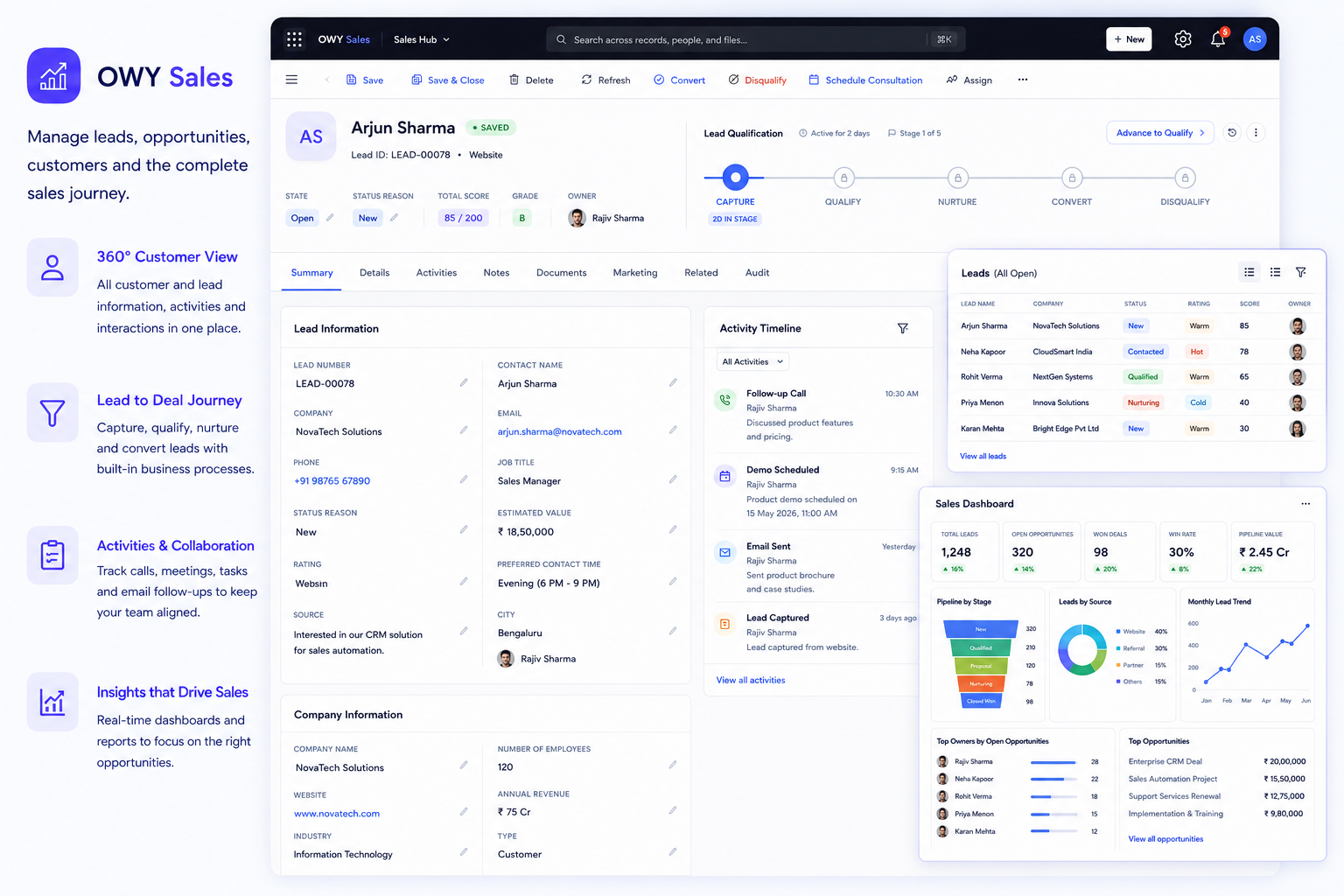
Illustrative product workspace · Explore the platform links above or try the sample workflow below.
CRM is the foundation. Connected conversations and configurable processes help your people use that information.
Bring leads, contacts, accounts and activities together so the next person can pick up the conversation.
Make responsibility and the next activity visible across sales, service and related teams.
Shape fields, forms, views and workflows around the information and decisions your team needs.
Follow a WhatsApp enquiry through customer context, team ownership and a prepared follow-up. Select each stage to see what changes.
Hi, I’m interested in Maple Residences. Can I book a site visit this Saturday?10:24 AM
The team checks the customer record before preparing a reply.
Nothing is sent from this example.Riya’s message and property interest are captured for the team to review.
Message captured in the sample workspace.
Select a stage or use the next-step button. No messages are sent or live records changed.
Choose a team or industry to explore its records, conversations and everyday workflows on the OWY website.
Leads, opportunities and the follow-up that moves them forward.
Explore Sales in a new tabCases, customer context, ownership and service targets.
Explore Customer Service in a new tabProperty enquiries, site visits and the next customer conversation.
Explore Real Estate in a new tabCampaign activity connected to customer responses and follow-ups.
Explore Marketing in a new tabEnquiries, consultation coordination and related activities.
Explore Healthcare in a new tabVenue enquiries, proposals and bookings in one journey.
Explore Events in a new tabTime, leave and the everyday requests your people manage.
Explore HR in a new tabModules, forms and workflows shaped around your business.
Explore configuration in a new tabExplore the examples, then confirm the applications and scope for your deployment in a walkthrough.
A useful system reflects the way your team works. Start with the records, roles and decisions that matter.
AI Navigator brings customer context and suggested follow-ups into the conversation. Your team reviews the information and chooses what to do.
Explore AI Navigator (opens in a new tab)Multi-step AI agents that work toward an agreed outcome. This is a planned direction, not a released capability.
“What should I follow up with Riya?”
Riya asked about a site visit to Maple Residences. Priya owns the enquiry.
Your team reviews before taking action.
Keep the conversation close to its customer record.
Connections require account and provider setup. We’ll confirm availability, permissions and configuration for your workspace. Explore connections (opens in a new tab)

A useful demo starts with your work. We’ll explore the records, handoffs and next actions your team needs.
Start with an enquiry, request or activity your team recognises.
Review the fields, responsibilities and workflow together.
Confirm the product scope, connections and implementation or support needs.
CRM is the customer-information foundation. OWY’s broader platform brings configurable business applications, workflows and AI assistance around it.
Yes. The OWY website includes sample journeys for sales, WhatsApp enquiries, site visits and other workflows. These are illustrative experiences; no live messages or business records are changed.
We’ll review your fields, roles, stages and connections in a walkthrough. The required applications, provider accounts, permissions and integration scope are confirmed for your setup.
One process, a few example fields, the people responsible and the outcome you want. You don’t need a detailed specification to start.
Explore OWY with a real process from your business.