If you need to view your work email, contacts, and calendar, and the computer you’re using is a personal PC that you own and manage, you can easily add your work account email account to your computer.
STEP 1: Connect your account
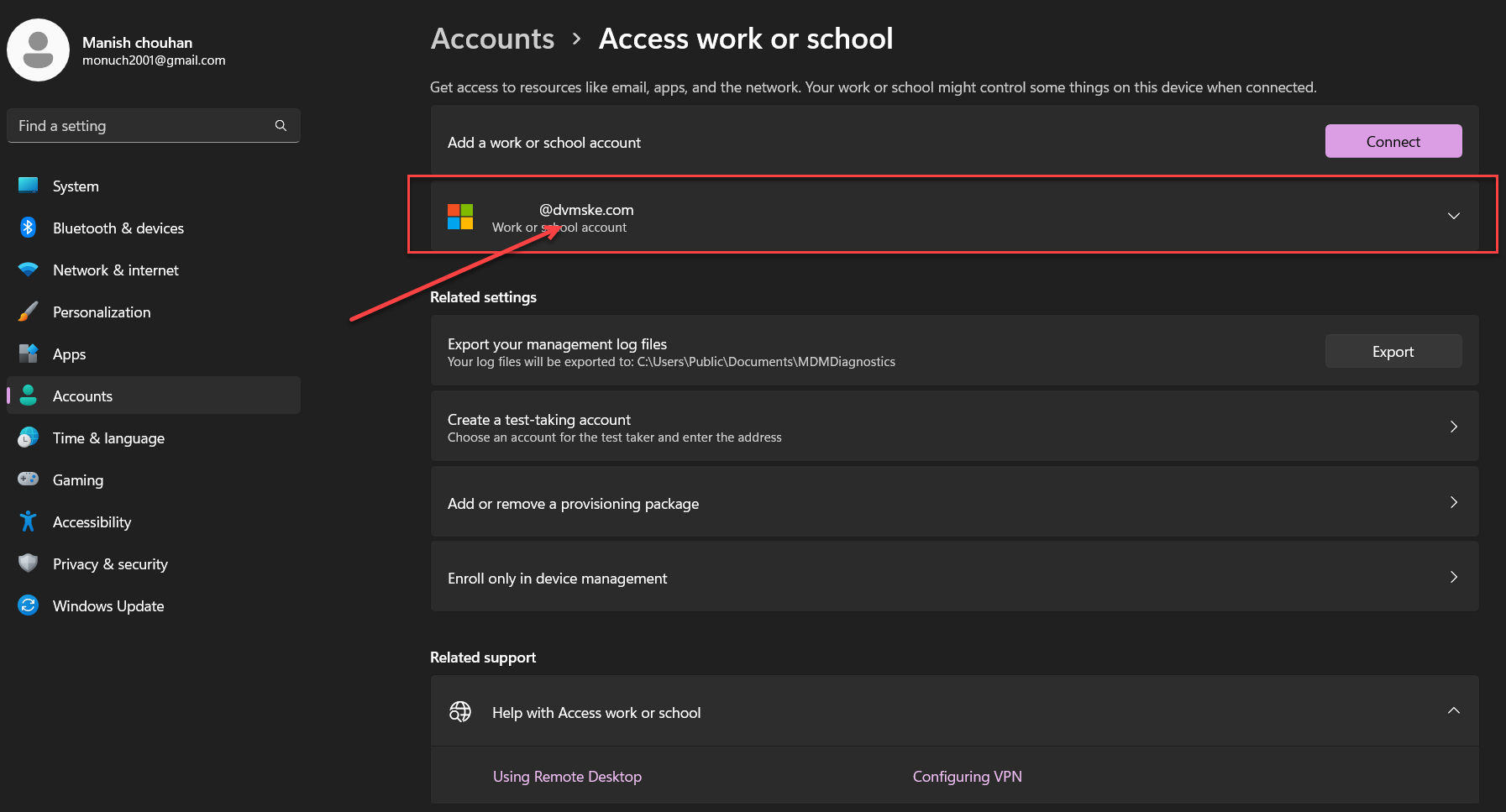
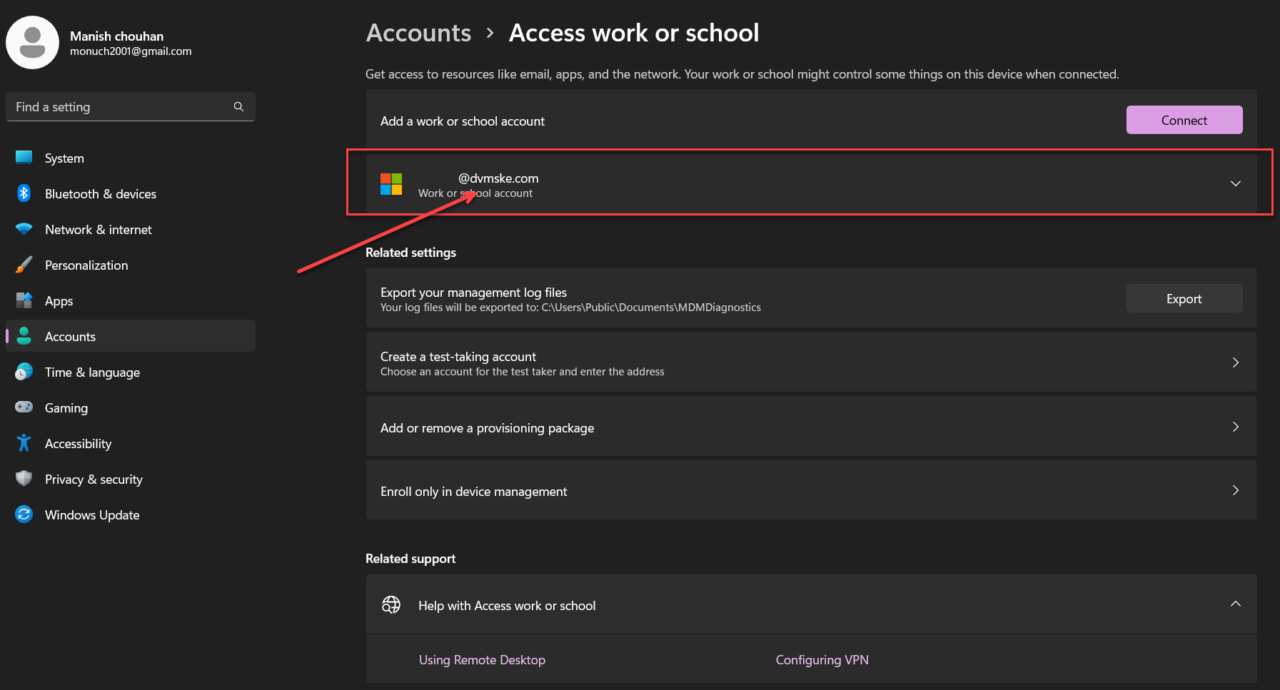
- For windows 10 : Go to Settings > Accounts > Access work or school.
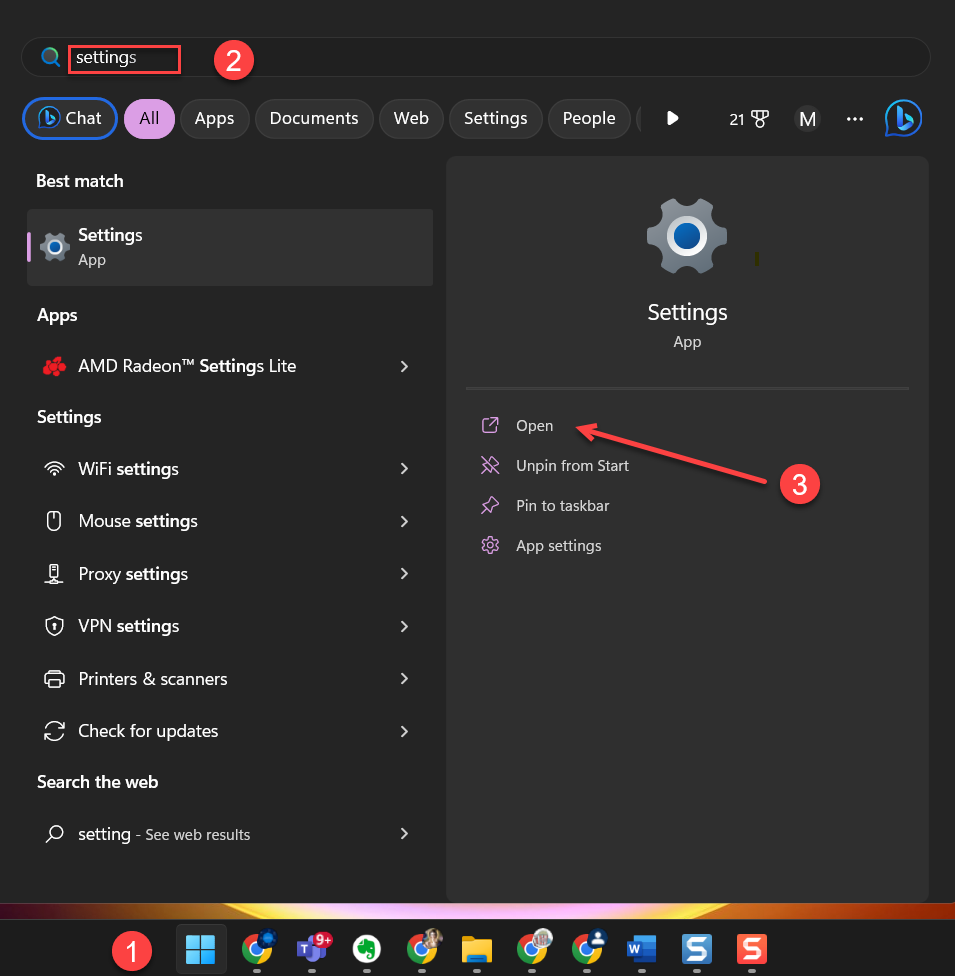
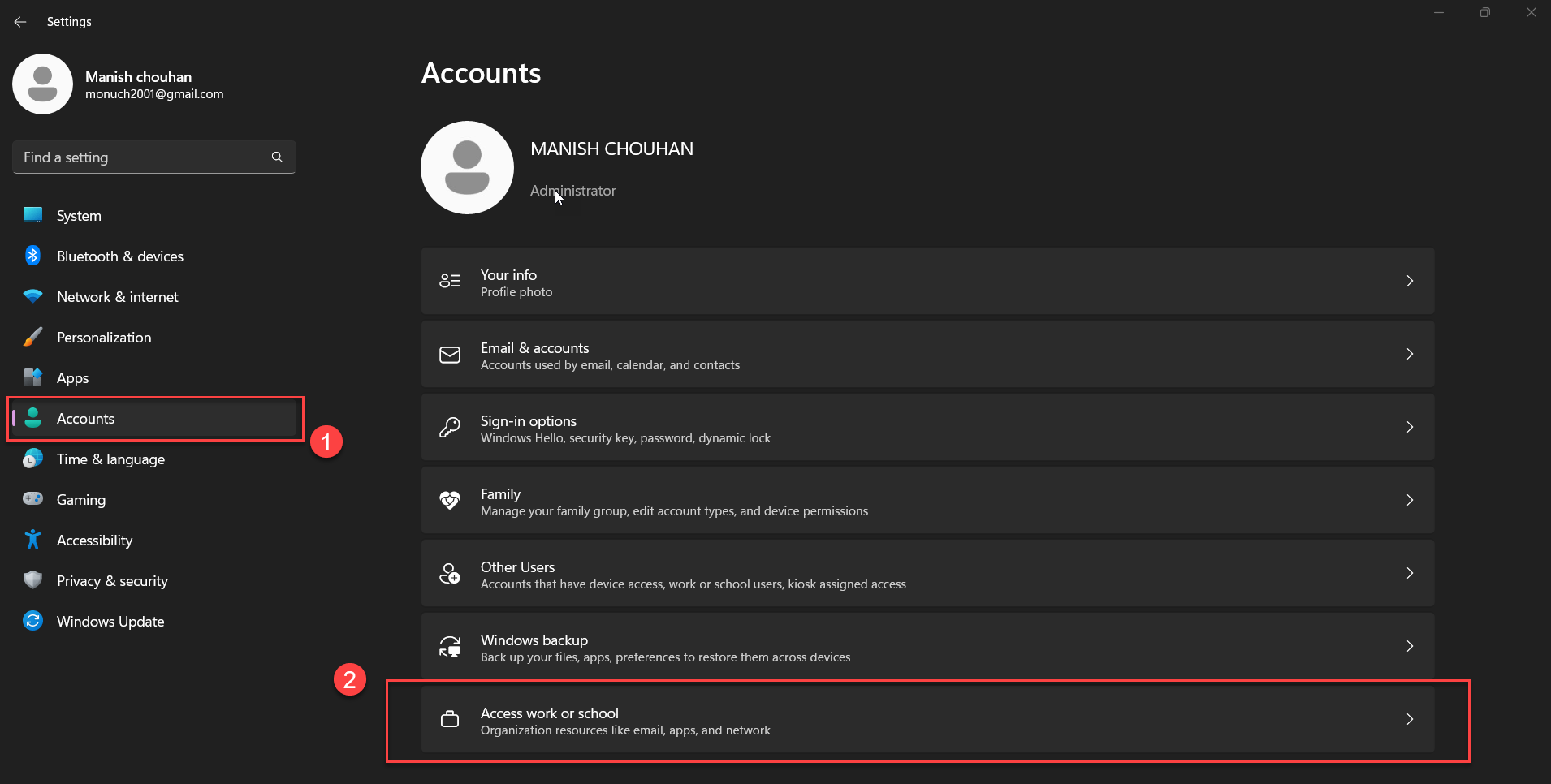
- for Windows 11 : Select Start > Settings > Accounts

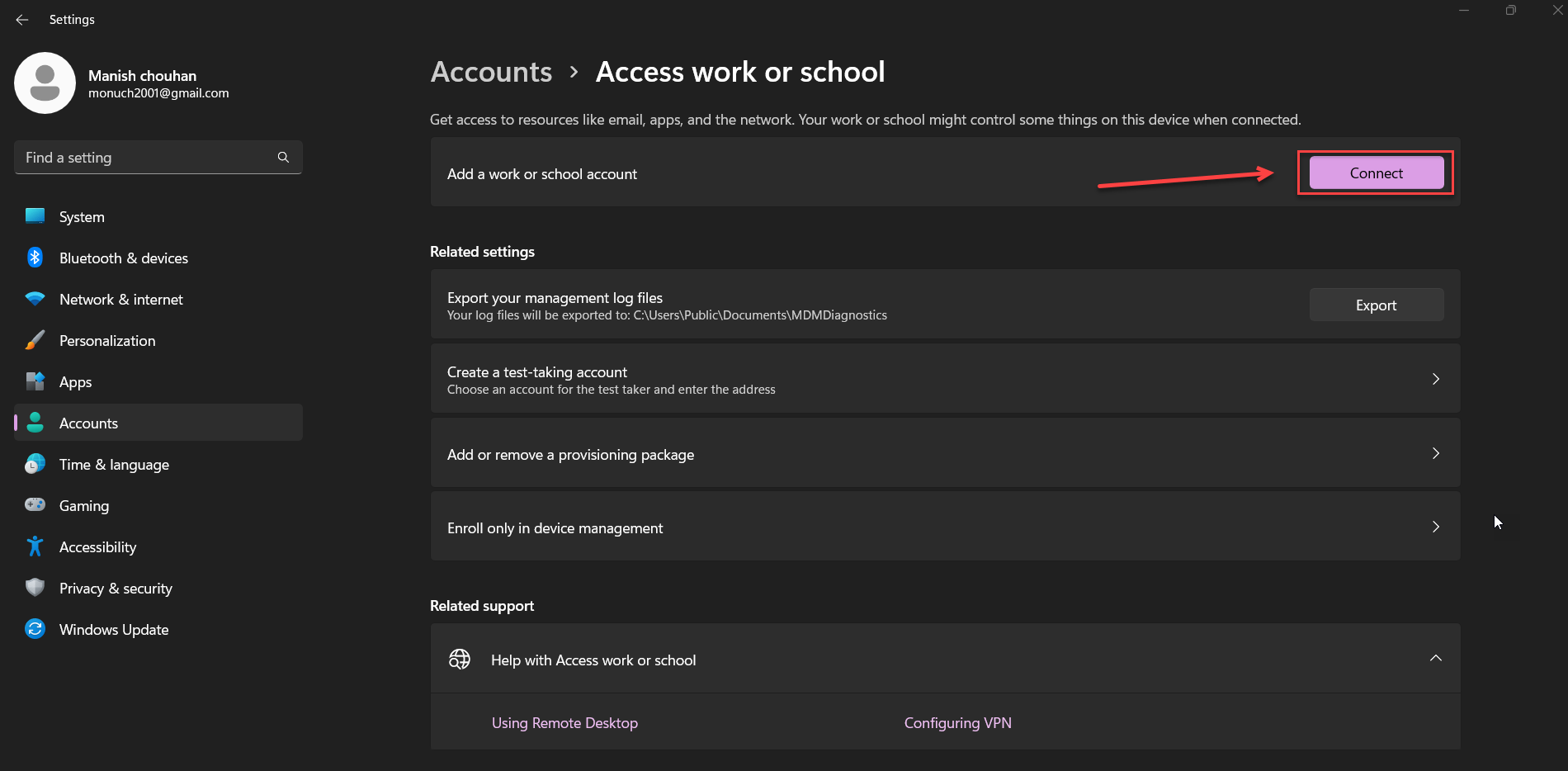
- Navigate to Access Work or School

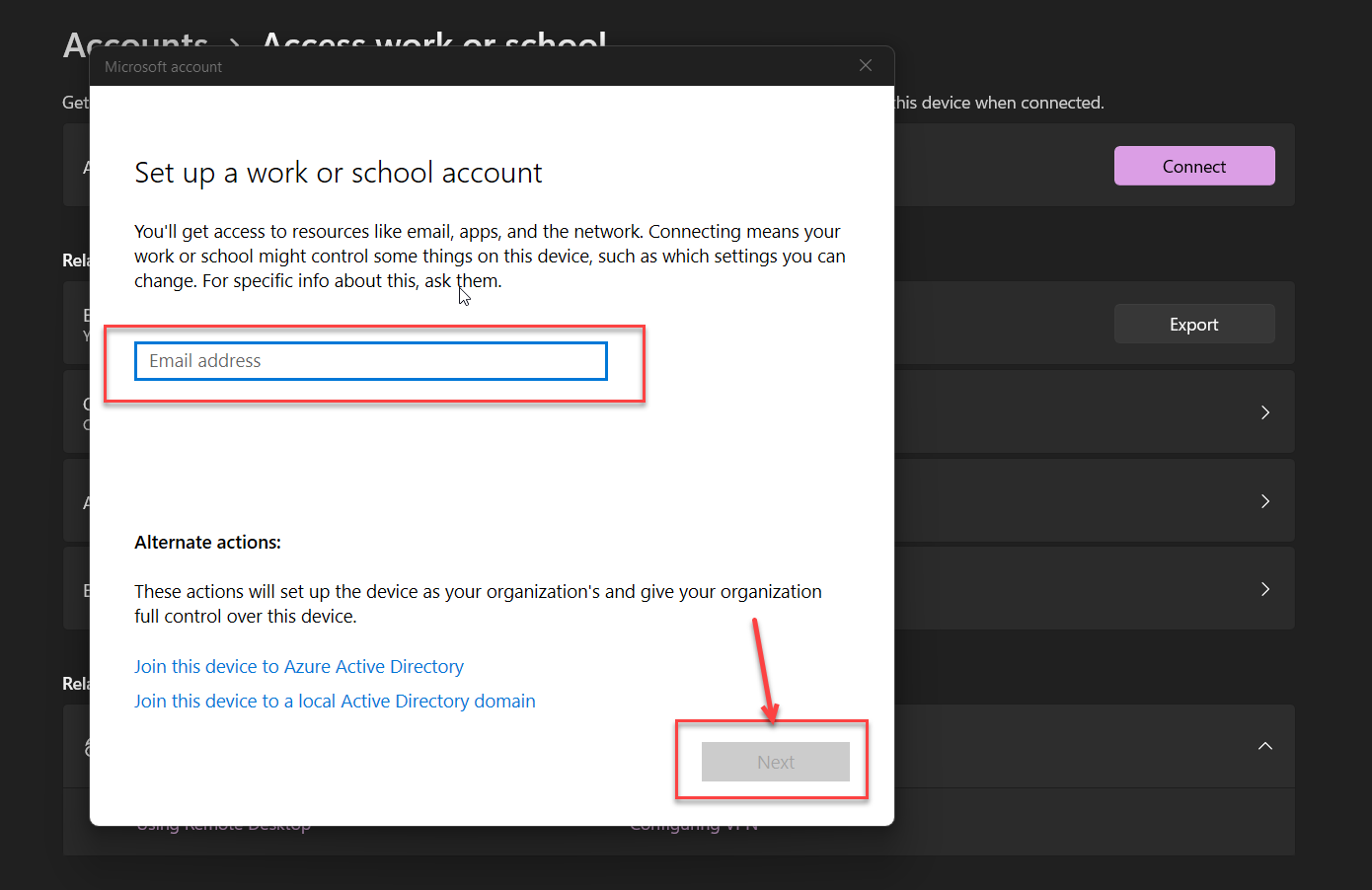
- Under Work or school users > Add a work or school account, select Add account.

- Login with Work Credentials

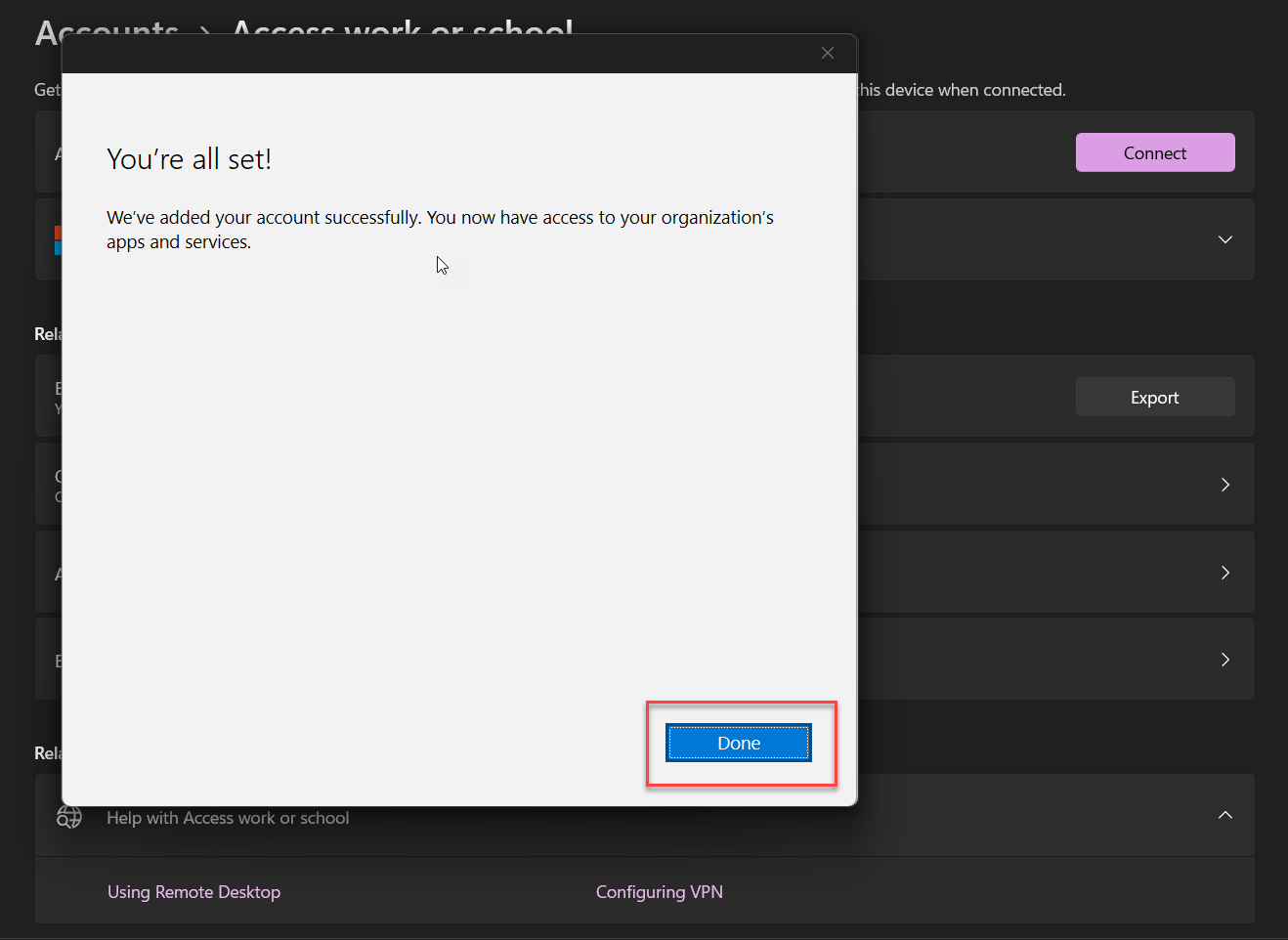
- You have successfully added Work Account to your PC